How to Create a Zampto.net Account
Creating a Zampto.net account is quick and easy — it only takes a few minutes. Follow the steps below to get started:
-
Visit https://dash.zampto.net.
If you're not logged in (and therefore don’t have an account yet), you will be automatically redirected to the auth page.
-
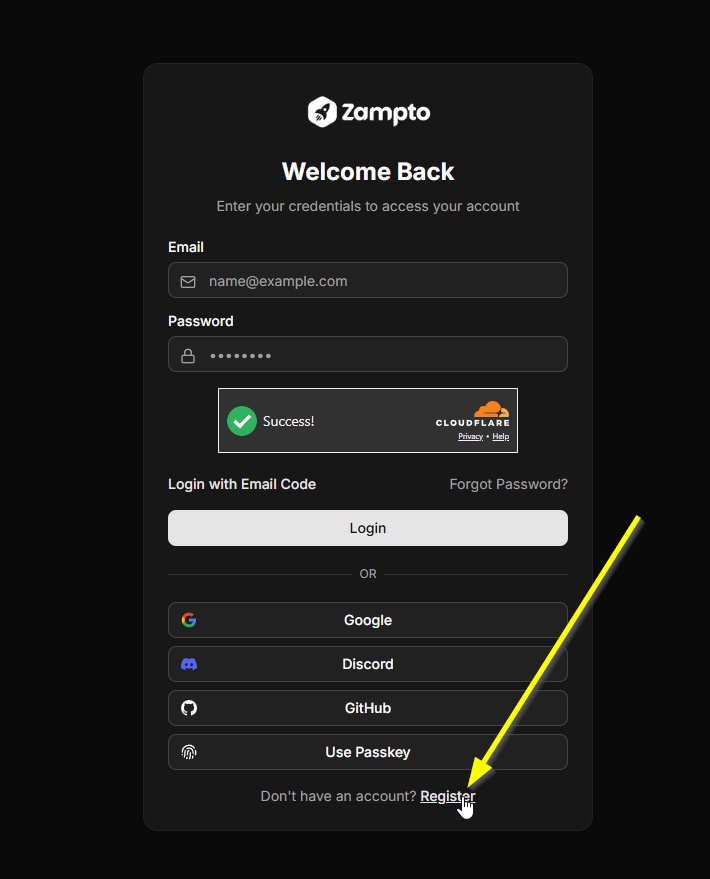
On the authentication page, you’ll be able to either log in with an existing account or create a new one (register).
-
To create a new account, you can:
-
Click “Create account” or "Register" to register manually, or
-
Use Google, Discord, GitHub, or any other supported login provider.
If you don’t already have an account, you’ll be prompted to create one automatically.
-
-
Follow the guided setup process, and remember to save or note your password if one is required.
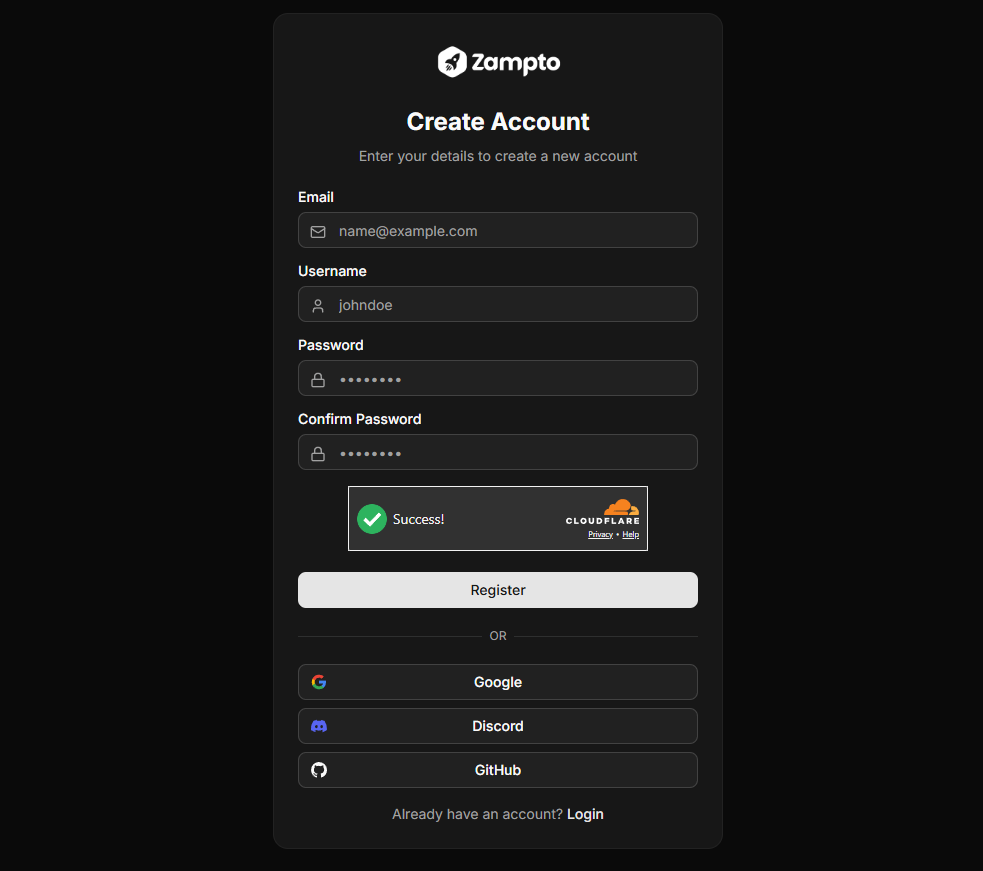
Required Information:
- Username
Once the setup is complete, you will be automatically redirected back to dash.zampto.net (And logged in automatically).