How to use phpMyAdmin with a MariaDB Database
Zampto.net provides phpMyAdmin included with MariaDB databases hosted on Zampto.net.
What is phpMyAdmin?
phpMyAdmin is a web-based tool that lets you manage MySQL and MariaDB databases through your browser.
How can you access it?
-
Go to dash.zampto.net
-
From there, open the Databases page and select the Database Server where your database is located
-
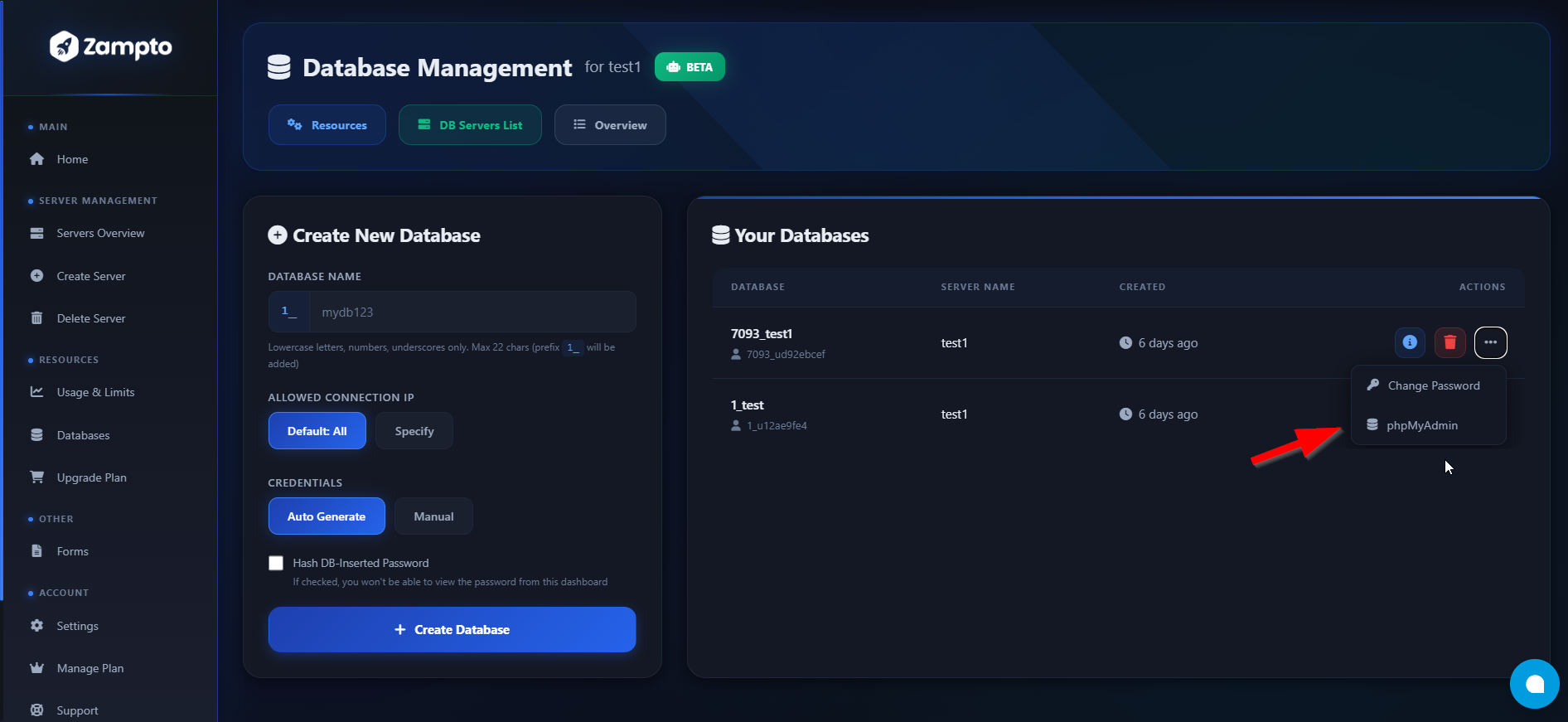
Once you are on the page of the specific database server, click the three dots next to the MariaDB database and then click phpMyAdmin
-
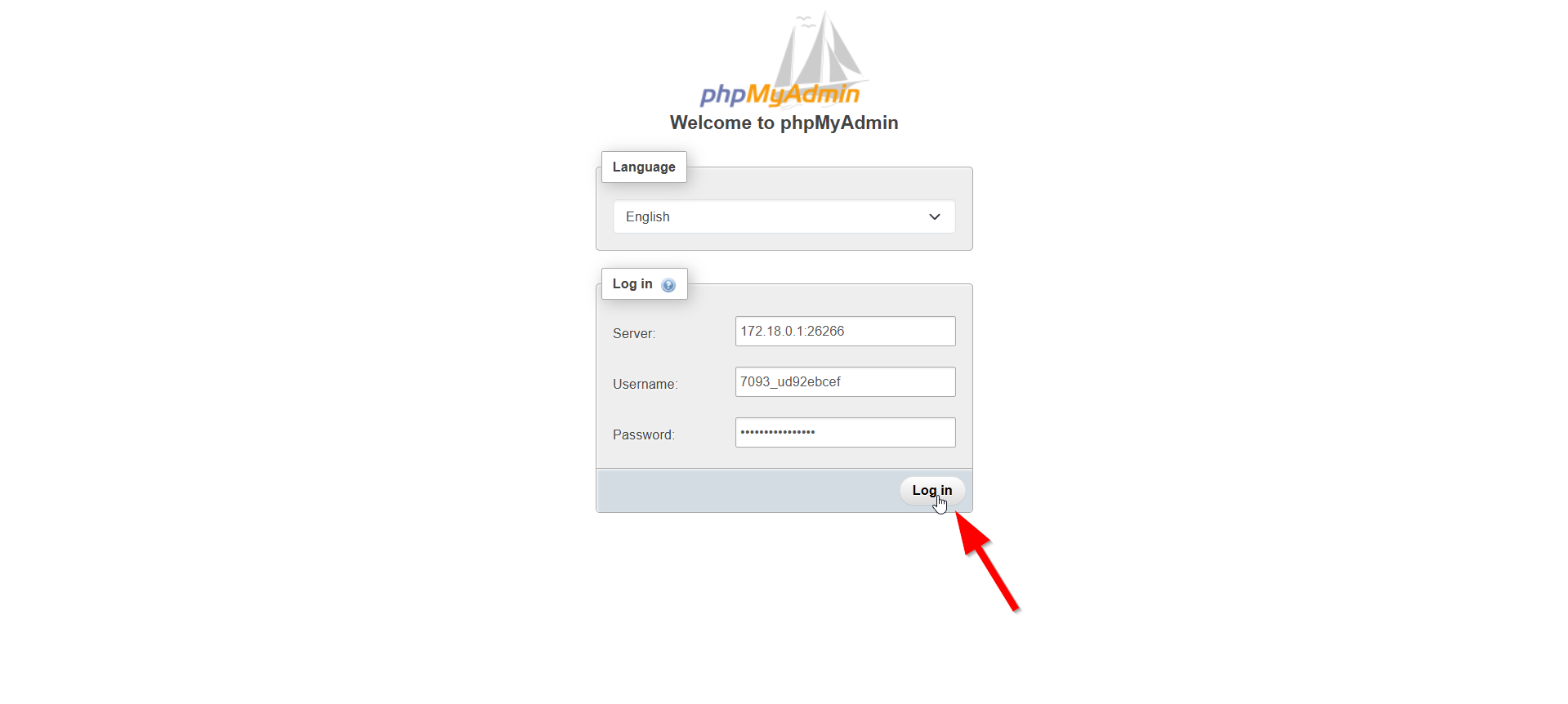
Once you are on the phpMyAdmin page of the node where your database is hosted, you need to provide the Server to connect to:
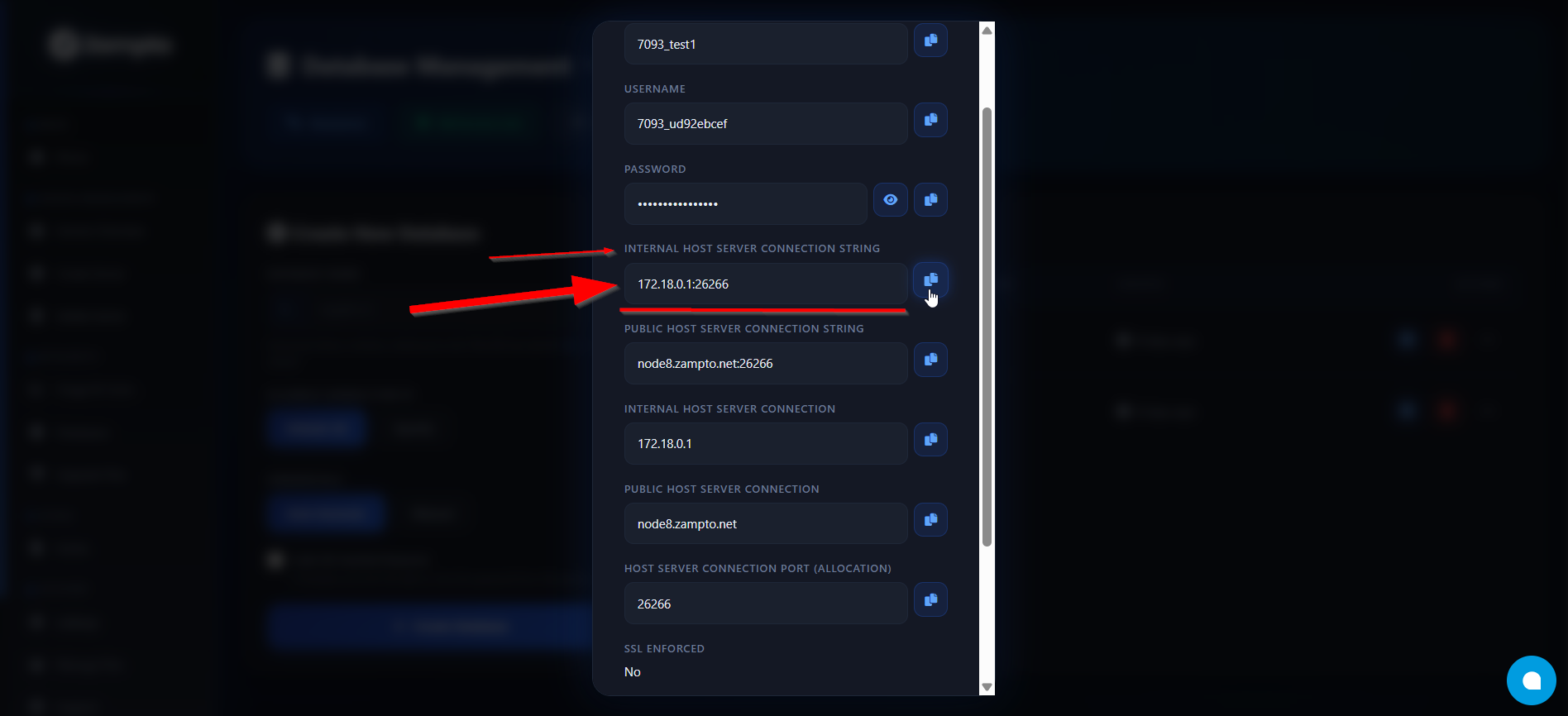
- The SERVER connection string can be found in your database information by copying the line
INTERNAL HOST CONNECTION STRING
- The SERVER connection string can be found in your database information by copying the line
- After filling in all the required fields, click Log in
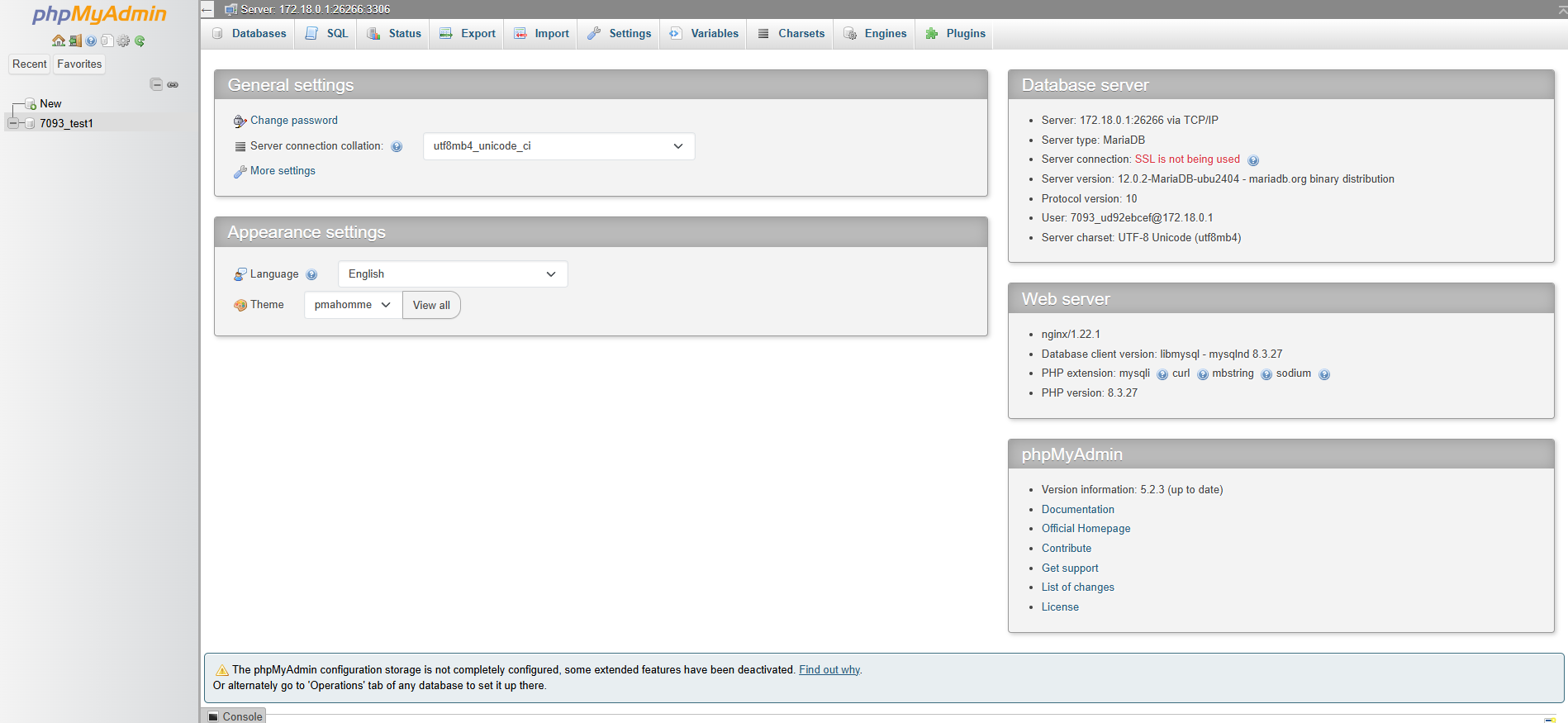
- You are now ready to use phpMyAdmin.
Troubleshooting
Usually, if your credentials are correct but you receive an error when trying to log in, in 99% of cases it is because the Database Server you created is offline.
You can fix this by going to the Servers Overview, selecting the server, opening the Control Panel, then the Console, and if the status is OFFLINE or STOPPED, click START and wait 2–3 minutes.
If you continue to have issues, please contact us.