Updating Your Server Name and Description
You can update the display name and description of your server at any time.
- Go to the Servers Overview and click the Control Panel Console button.
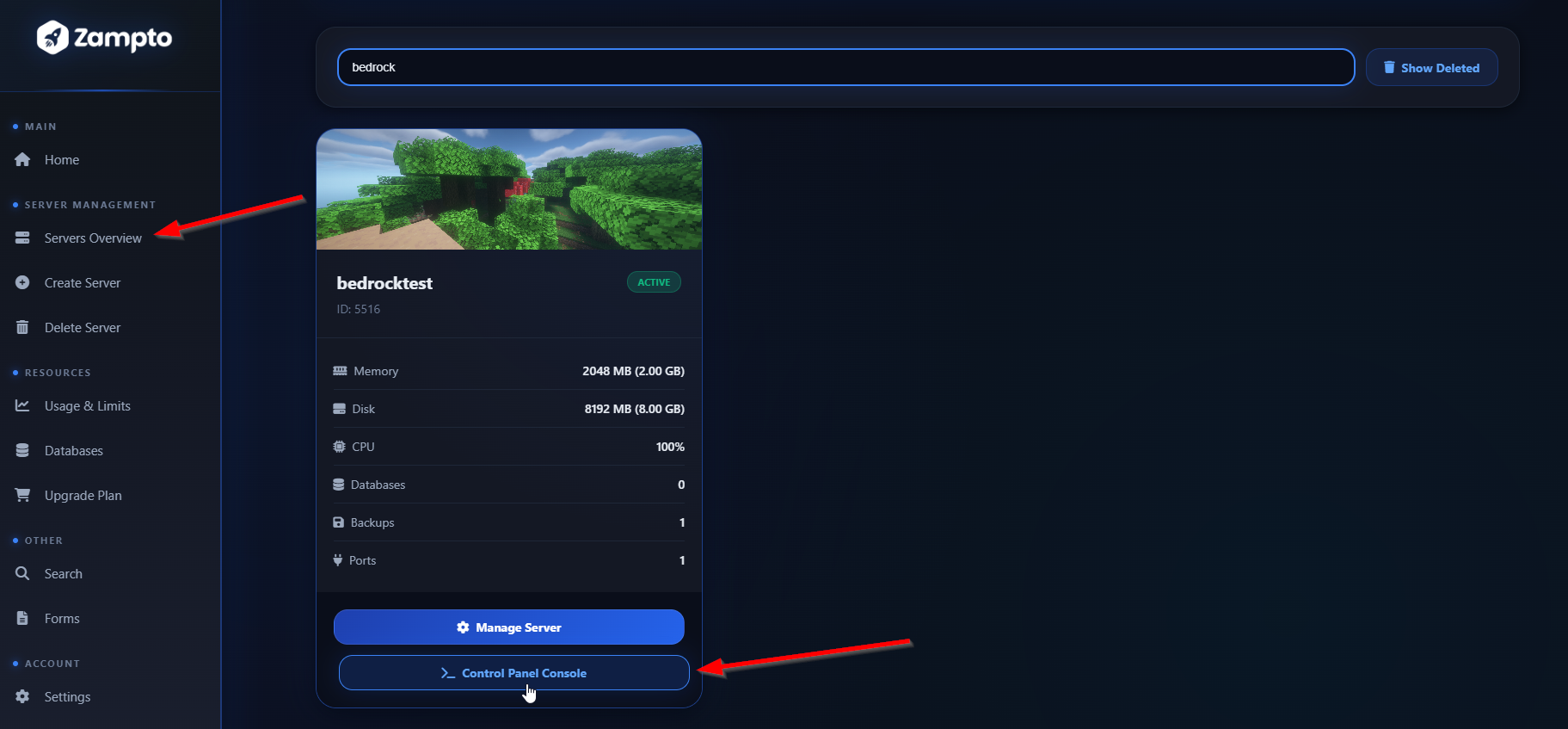
- Alternatively, click Manage Server button and then the Control Panel button
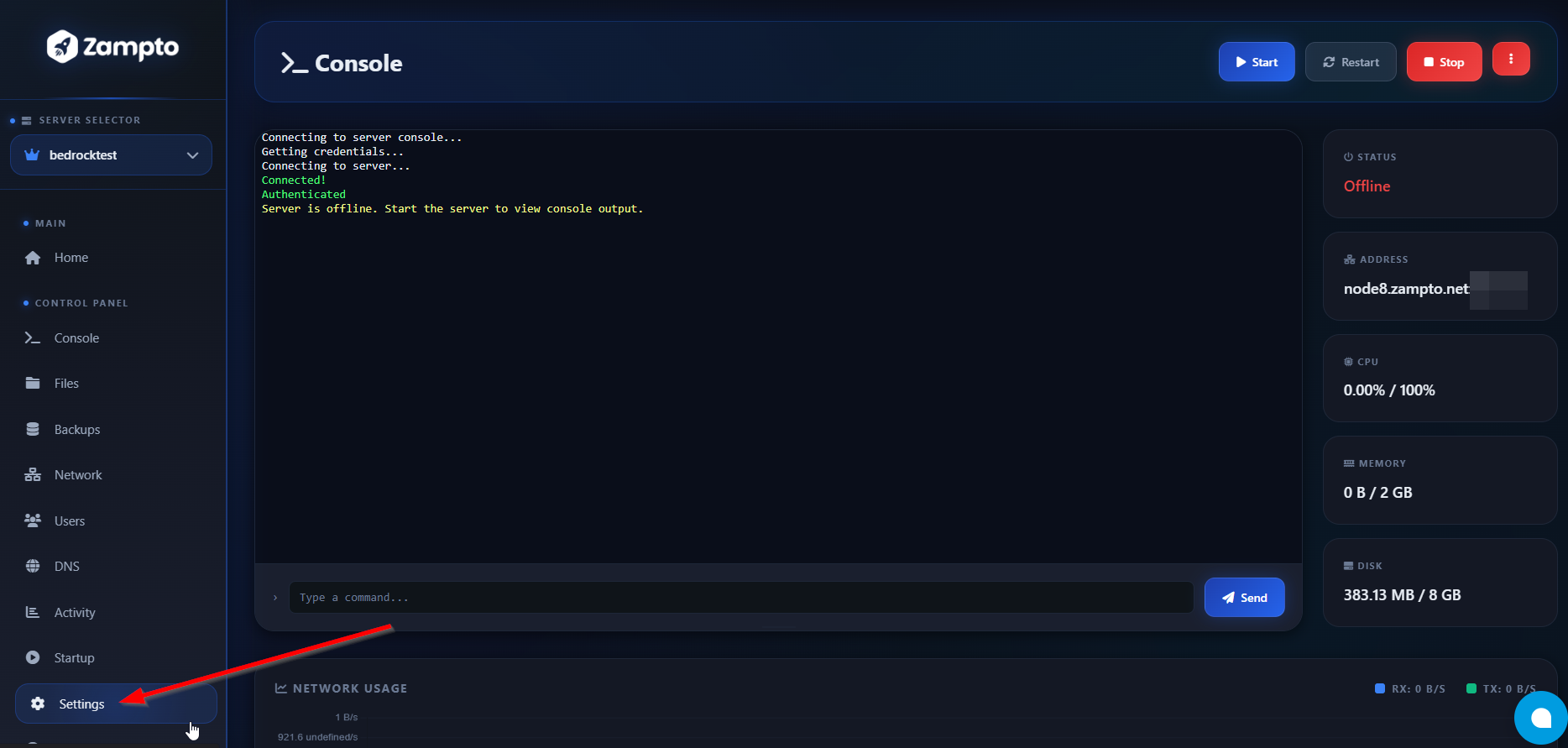
- In the Control Panel, click the Settings button in the sidebar.
- In the Settings page, update the Server Display Name and Description for the selected server. When finished, click Save, then reload the page to see the changes fully applied.
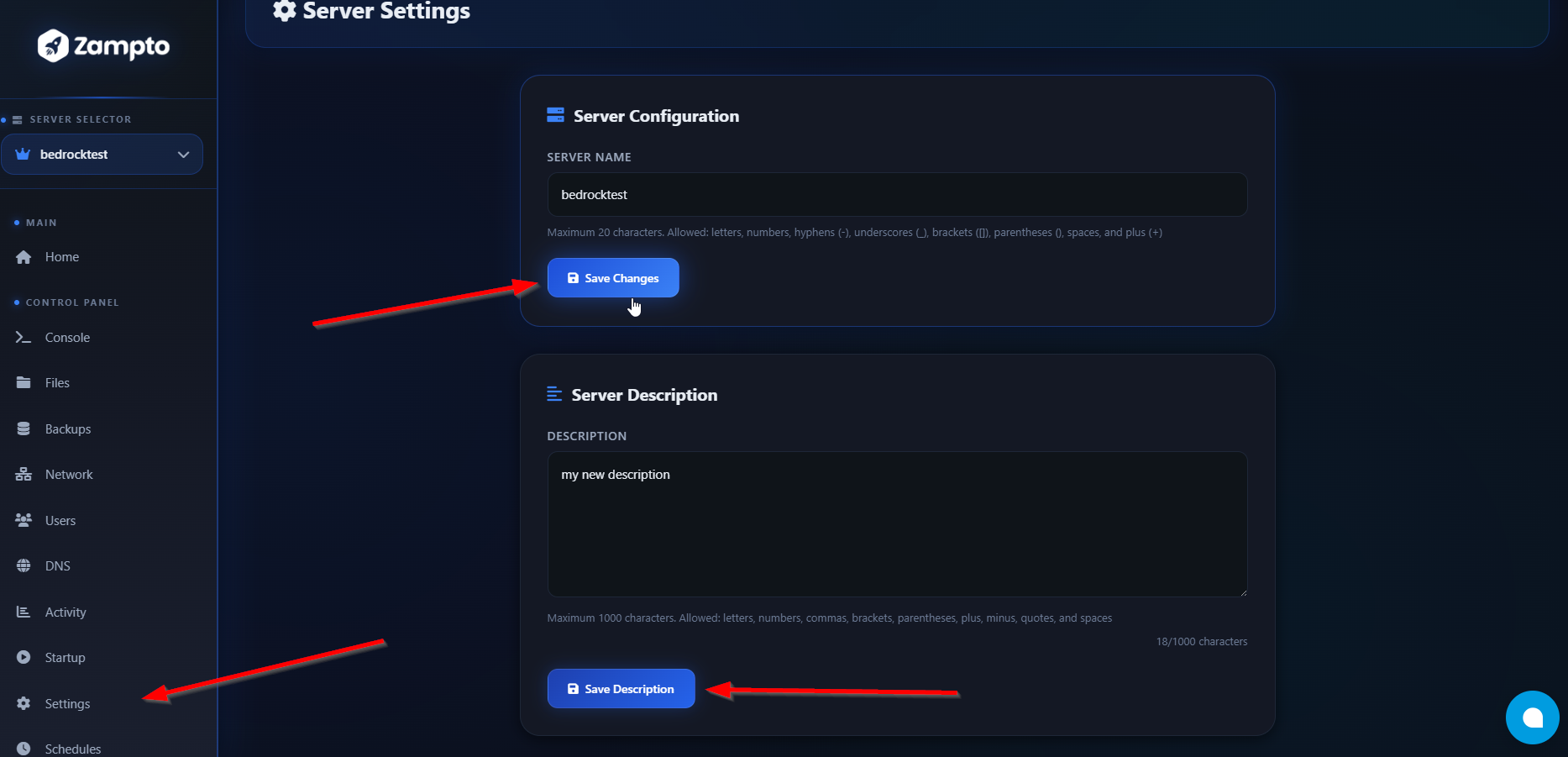
Your changes will be applied immediately.