Updating Server Resources
You can increase or decrease a server’s Memory (RAM), Disk, CPU, and Backup Slots at any time. Port Allocation Slots, however, can only be increased. To reduce them, you must delete the server.
Note: You can only update resources using the same source used when creating the server, Zampto.net will select it automatically:
Your account resources, if the server was created with them
A resource pool, if the server was created using one
1. Ensure the Server Is Offline
Make sure the server is not running (Status: Offline) before updating resources. Updating resources while the server is running may cause issues or force it to shut down.
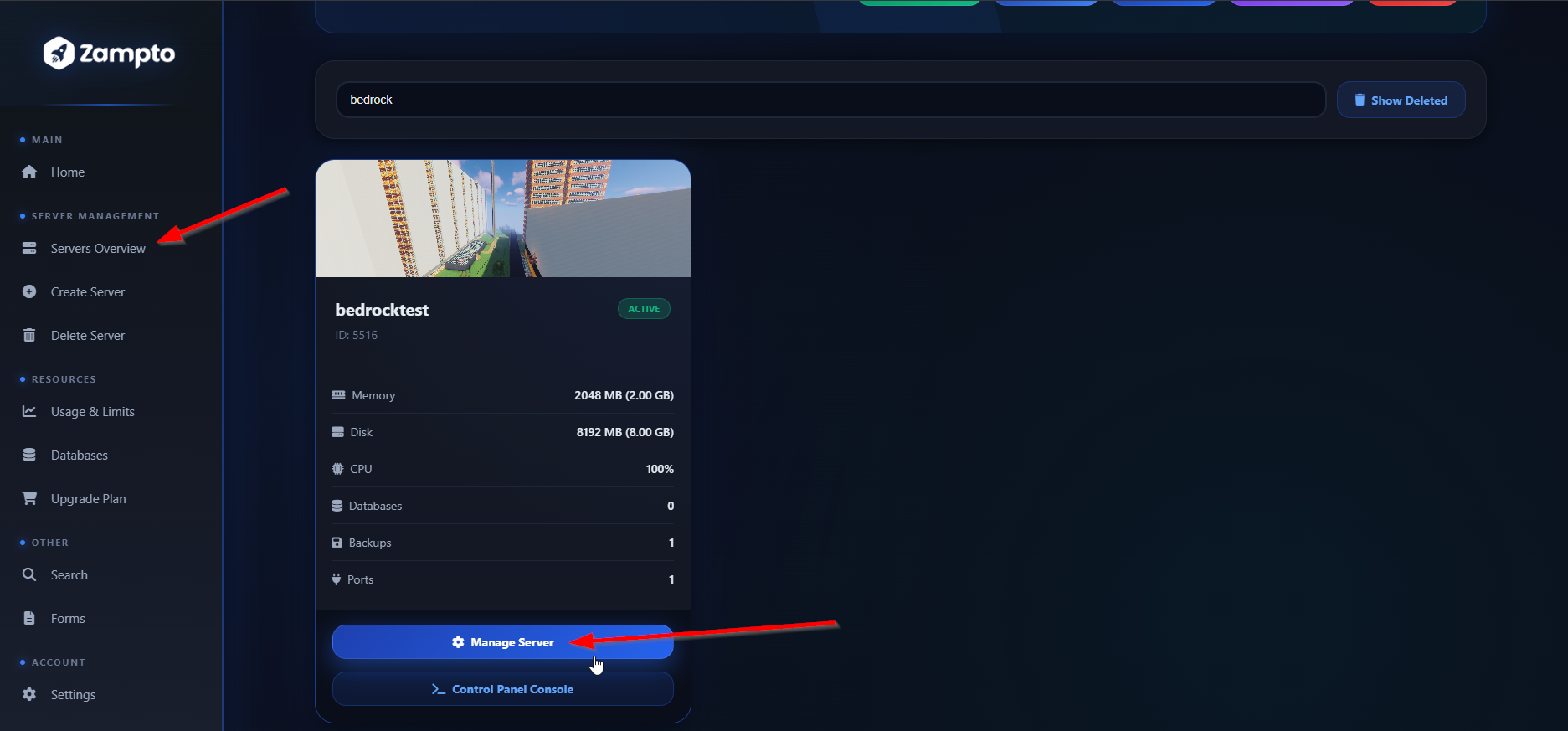
2. Go to the Server Overview
Click the Manage Server button.
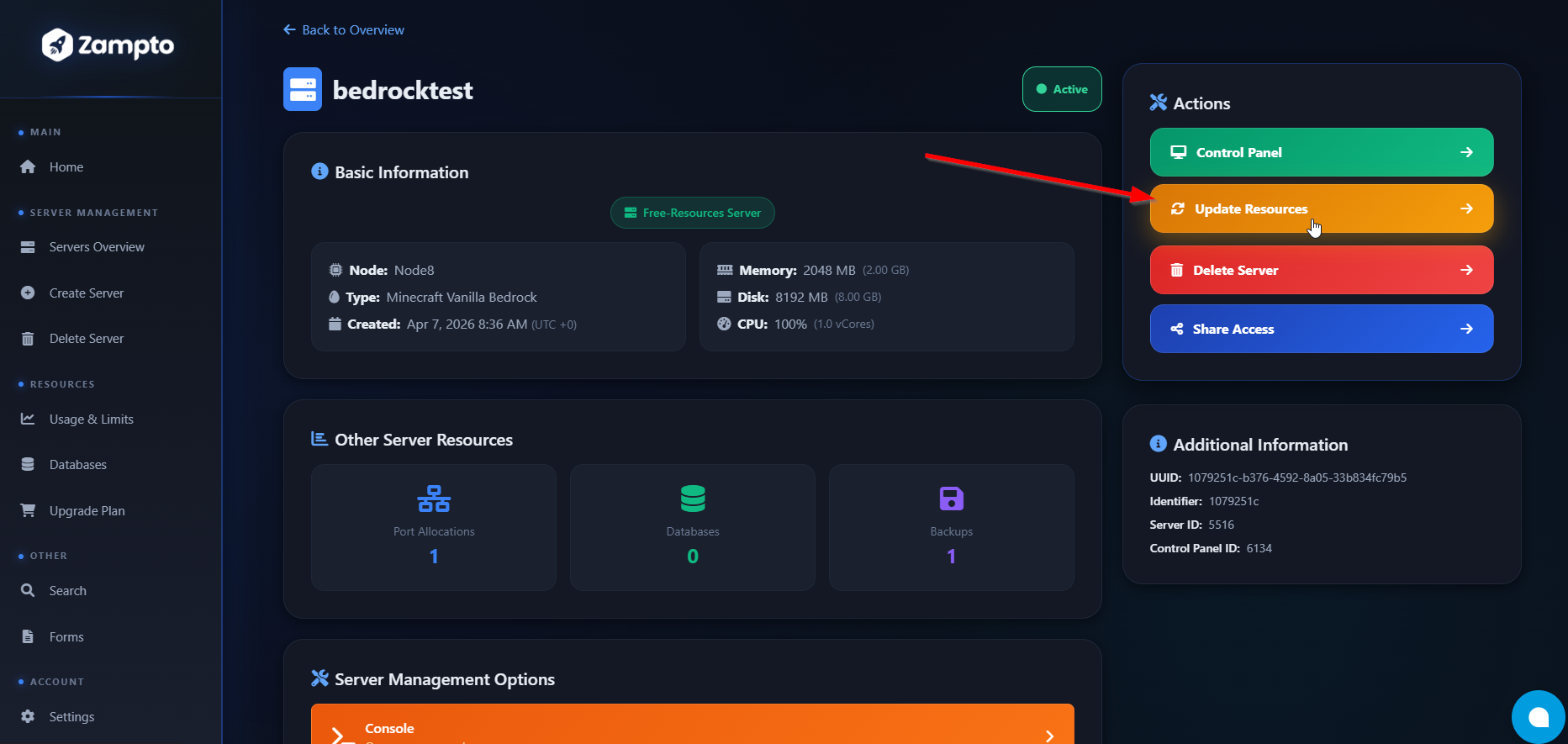
3. Click “Update Resources”
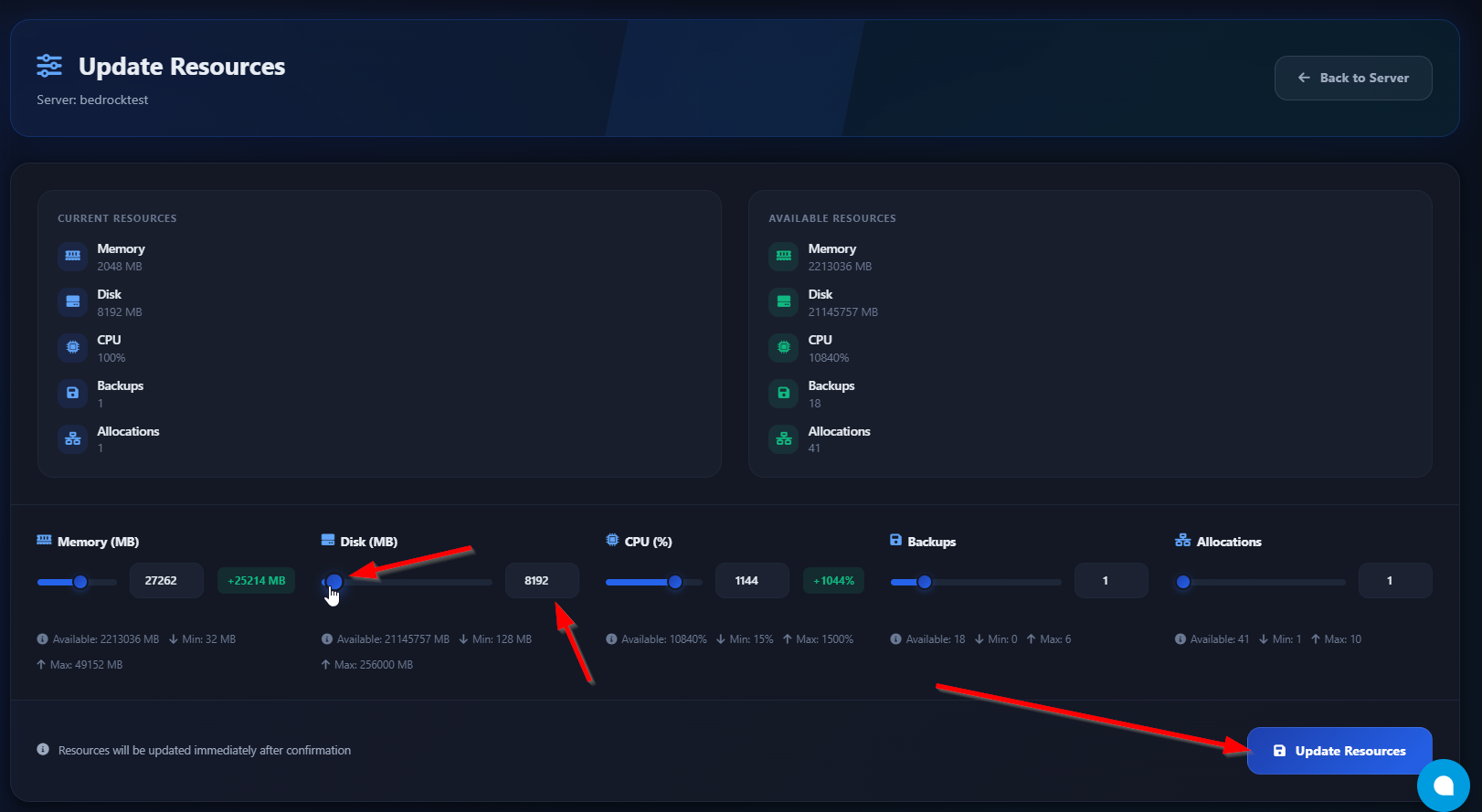
4. Adjust the Resource Values
On the Update Resources page:
-
Update the resources you want to change by dragging their sliders or entering values manually.
-
Once done, click the Update Resources button at the bottom-left corner
-
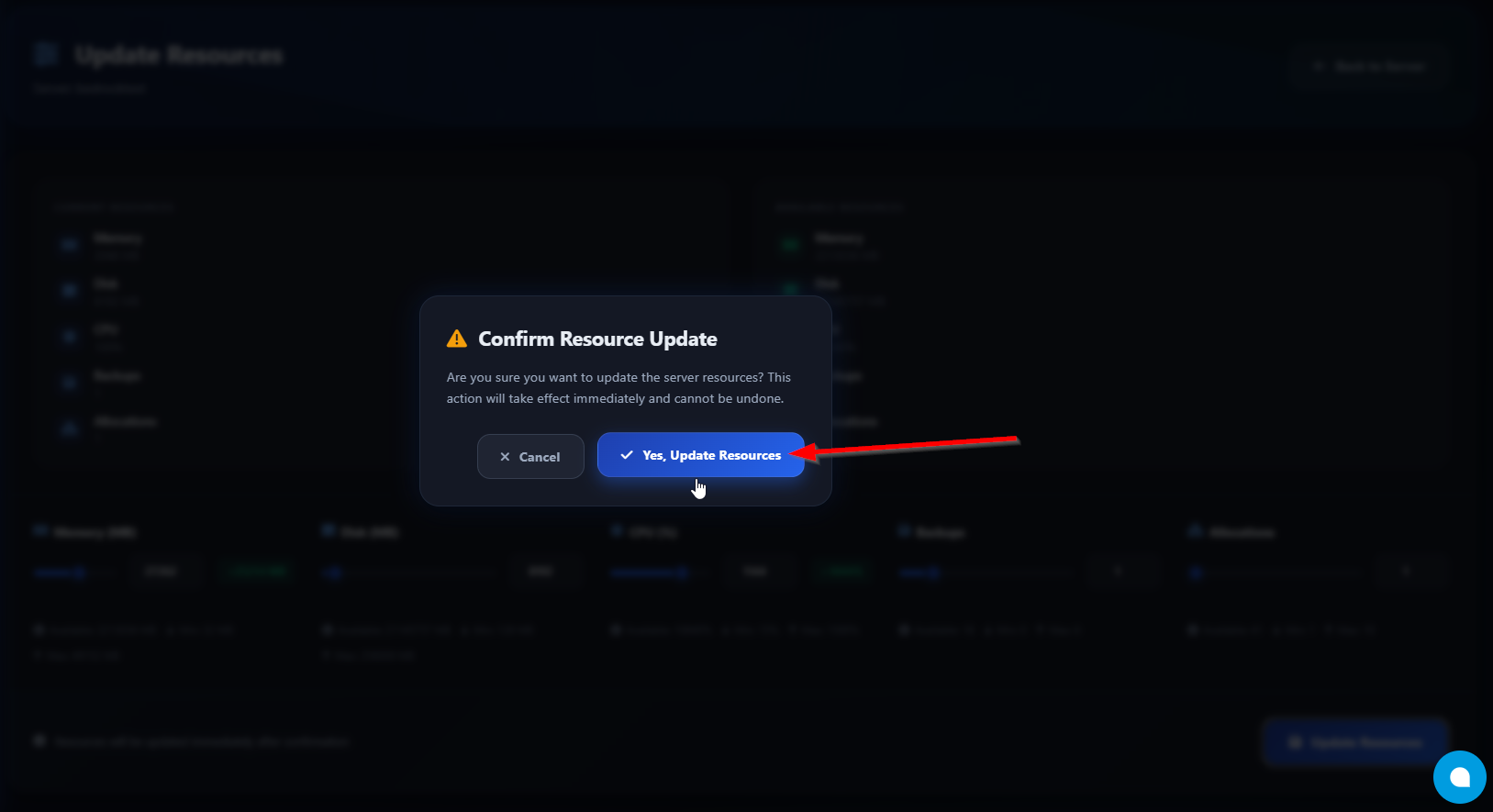
Confirm the action by clicking Yes, Update Resources in the popup
5. Done
If you receive a success message, the changes have been applied successfully.