How to Create a MariaDB Server and Database
This is a step-by-step tutorial on how to create a MariaDB server on Zampto, and then create a database on it (you can create multiple databases if you want).
-
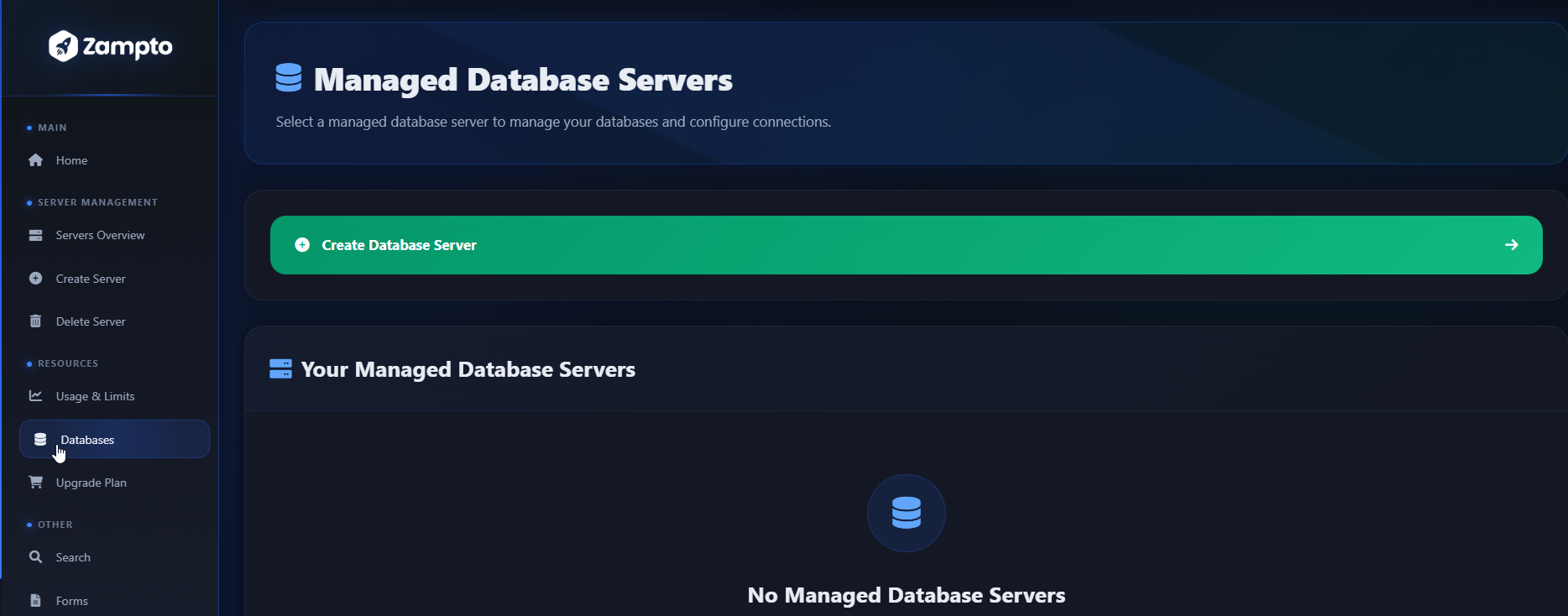
Start by going to dash.zampto.net. After logging in, from the sidebar click on Databases.
-
Once you are on dash.zampto.net/databases, click on Create Database Server, or select an existing database server if you want to directly create a database and skip to the next steps.
-
Select the resource location just like you would for a normal server. Then proceed by selecting the MariaDB version you want, choose the server type, and set the resources as you would for any other server.
If you have node preferences, make sure to select them. For example, if your Minecraft server is on a specific node and it needs to use this database, it’s recommended (in most cases) to select the same node. Remember, in DB Mode you will only see MariaDB Server Type Options in the selection. -
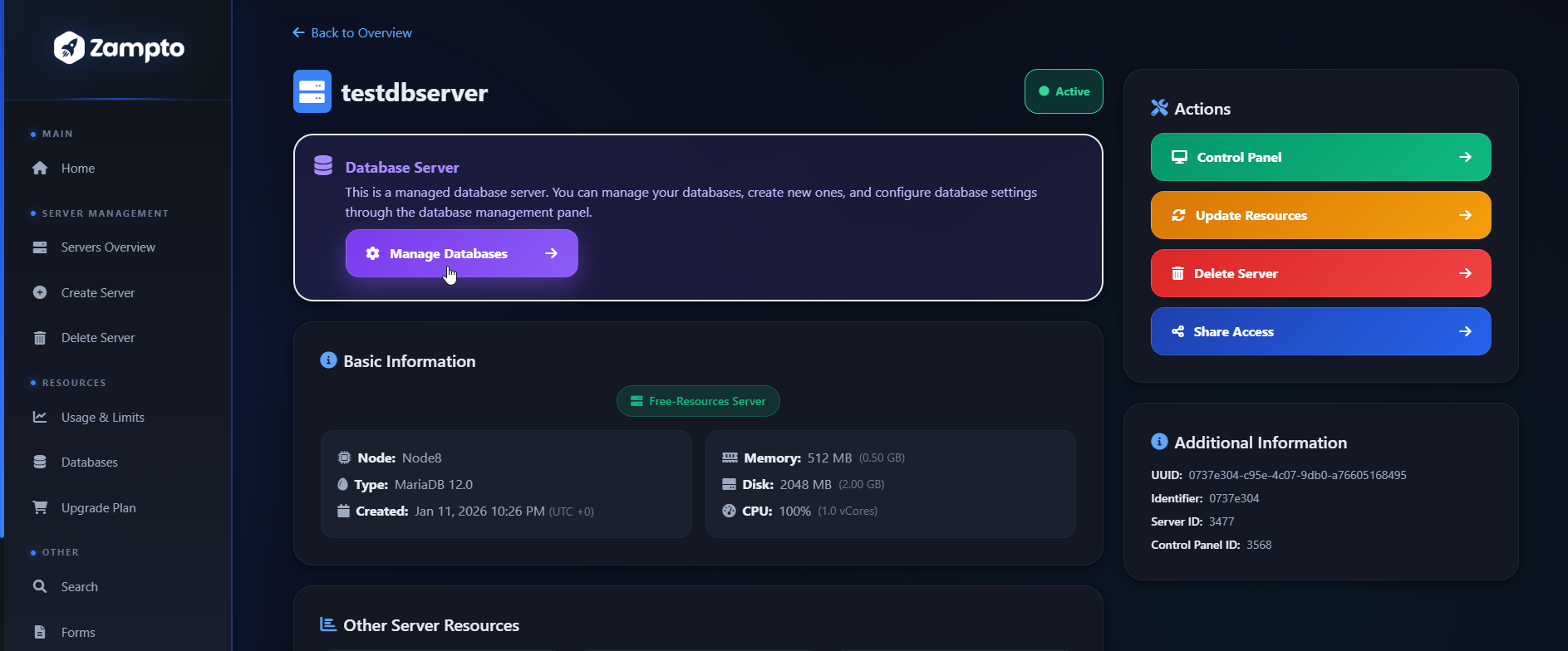
Once the server is installed, go to the Console, start it by clicking Start, and once it’s ready, go back to the server info page and click Manage Databases in the database section.
- Set your database details, such as the database name, and create it.
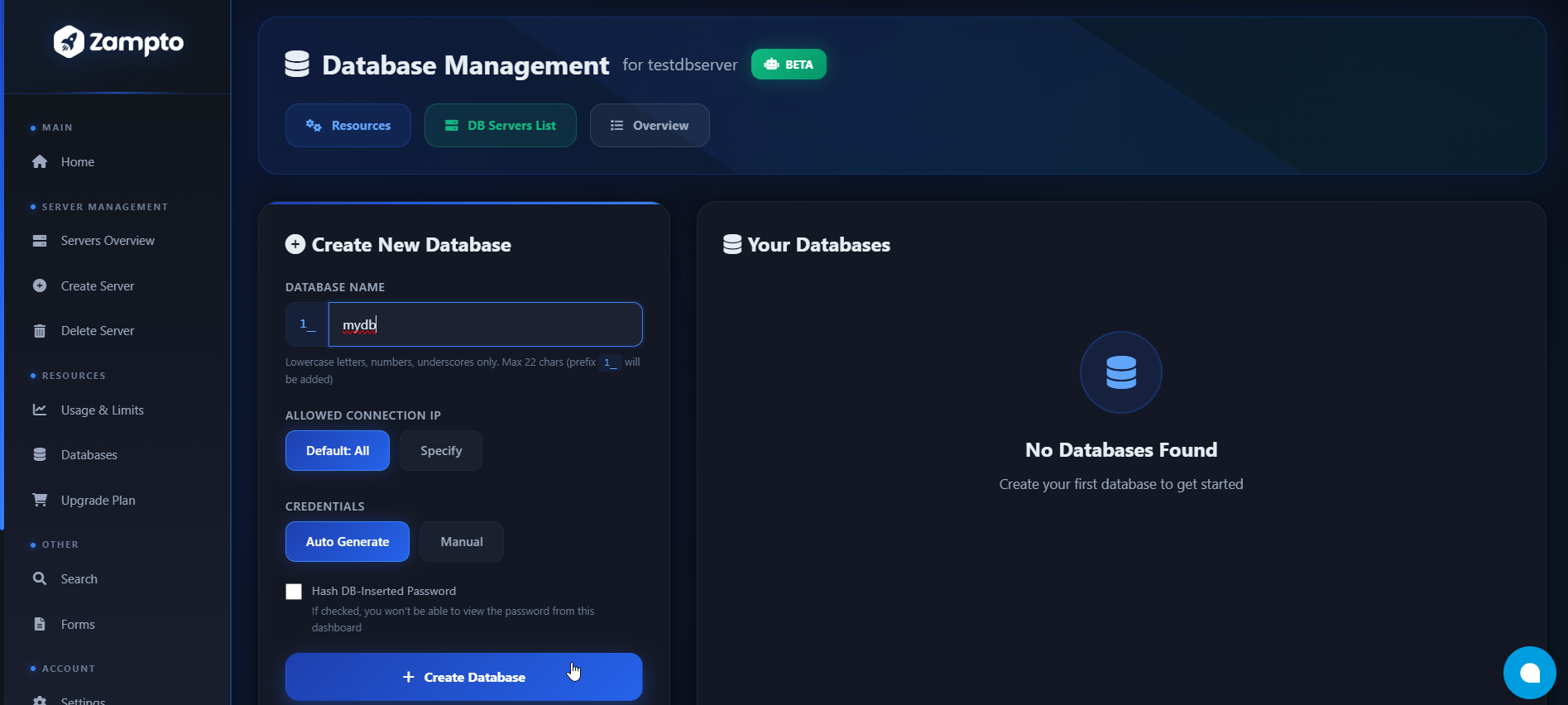
- If everything worked correctly, your database is now ready to use.
Troubleshooting (If you have issues)
1. Unable to access the database
If you can’t access your database, make sure you are using the correct IP and PORT.
For example, if your bot, app, Minecraft server, or whatever you are running is on the same node, you can use the private IP, such as: 172.18.0.1 and the port, for example: 172.18.0.1:[YOUR SERVER PORT]
If the issue persists, go to Servers Overview, select the database server, and make sure it is powered on and has been running for at least 2 minutes of uptime. If still the issue isn't solved, you can try deleting the database and recreating it (make a backup before proceeding). It may be that the API request to create the database was not successful.
2. Error during database creation (server offline or unknown status)
If, during database creation, you get an error saying that the server is offline or that the server status is unknown, make sure the database server has been in running status for at least 2 minutes.
Go to Servers Overview, open the server control panel, go to the Console, and ensure it has been running for at least 2 minutes.
General Information
- It is recommended to have the database server on the same node as the service, app, or server you want to connect to, so you can use private IPs (e.g.
172.18.0.1) for better security and performance. - To use phpMyAdmin, click on the three dots in the database view and select phpMyAdmin. You can learn more here: https://zampto.net/phpmyadmin
- Database servers, when first created, use your account resources (CPU, Memory/RAM, Disk) and require at least 1 Port Allocation.
For light/basic usage, very few resources are needed. On average, the minimum requirements are:- 256 MB RAM
- 2 GB Disk
- 30% CPU